To share your clipboard online instantly, use a WebSocket-based tool like SyncClip. By opening the utility on two devices and joining the same session code, you establish a secure bridge that allows text, code, and links to sync between browsers across Android, iPhone, and PC in real-time without accounts or apps.
HOW TO SHARE YOUR CLIPBOARD ONLINE_
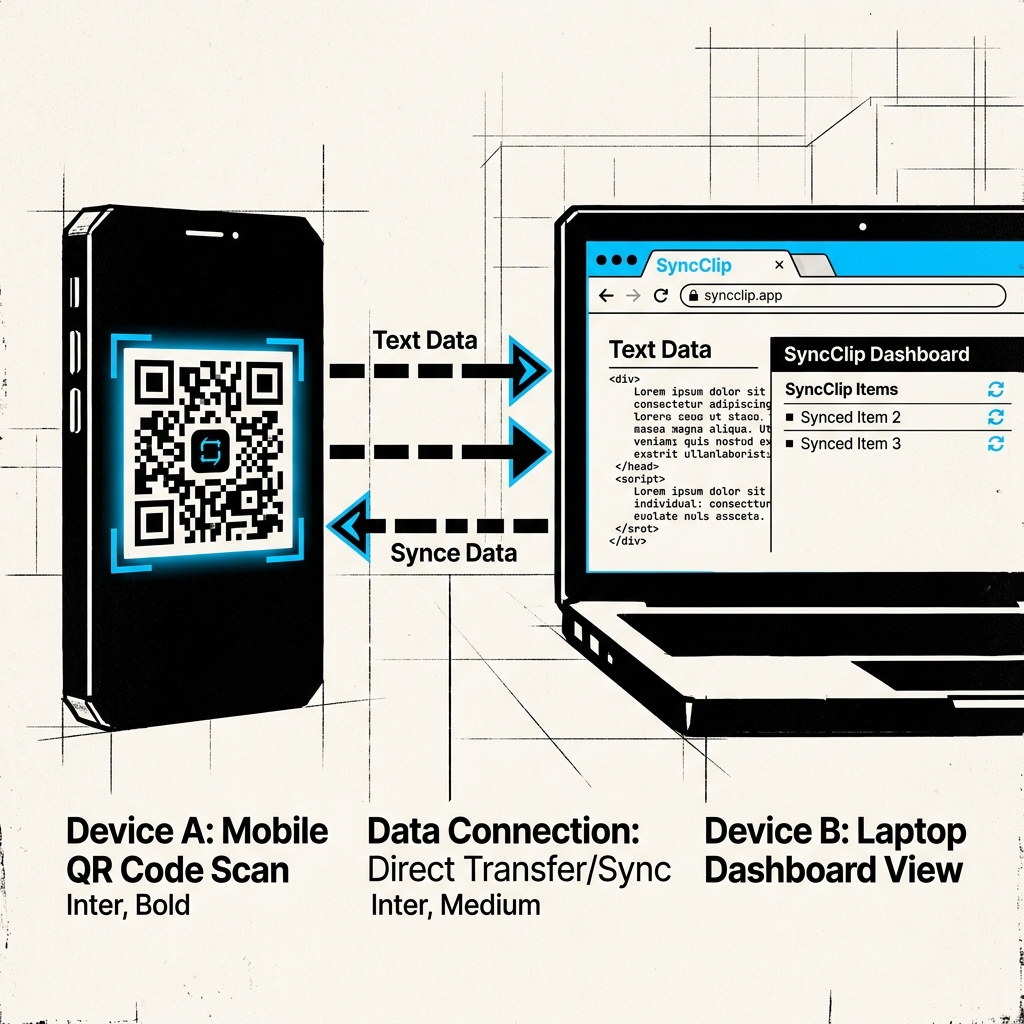
The No-Friction Protocol
Generate Node
Open SyncClip on your primary device. A unique, 6-character session code is generated instantly. No sign-up, no email, no friction. You are now the host of a private clipboard node.
Pair Devices
On your second device, either scan the QR code displayed on the screen or type in the session code. This establishes a secure, direct WebSocket bridge between the two browser instances.
Live Sync
Paste your text into the dashboard. Within 100ms, the snippet appears on your other device. There is no "Send" button because the connection is live—the data moves as you interact.
Why it Beats Traditional Sharing
The Problem with Slack/Email
Slack and Email were never meant for transient clipboard sharing. They create a permanent trail of snippets on cloud servers, require multiple clicks to retrieve, and clutter your history with "tmp" messages.
The SyncClip Advantage
SyncClip is built for utility. It handles the "last mile" of text sharing without leaving a footprint. Once your devices disconnect, the bridge collapses, and your data is set for a hard-purge.